More from MSP Reboot: clientst0r · st0r
Open source · Self-hosted · MIT License

Infrastructure
at your fingertips.

A free Proxmox VE control panel that goes beyond the native UI — multi-datacenter federation, iDRAC/iLO hardware monitoring, 677-endpoint REST API, and one-click LLM deployment.

VMs & Containers
677 REST API endpoints with a built-in interactive explorer
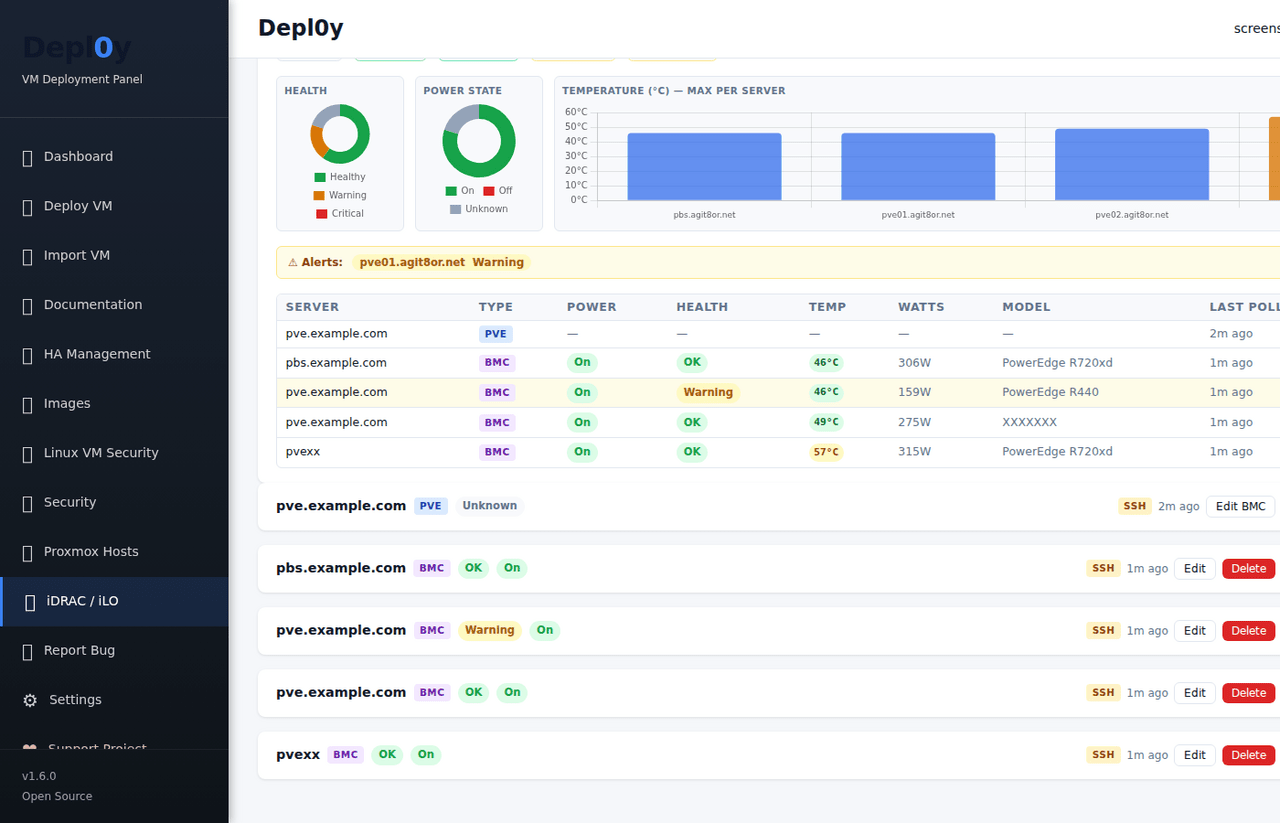
iDRAC 7–14G Dell & HPE out-of-band hardware monitoring via Redfish
1-line Install on your existing Proxmox node. No cloud required.
VM & Container Management

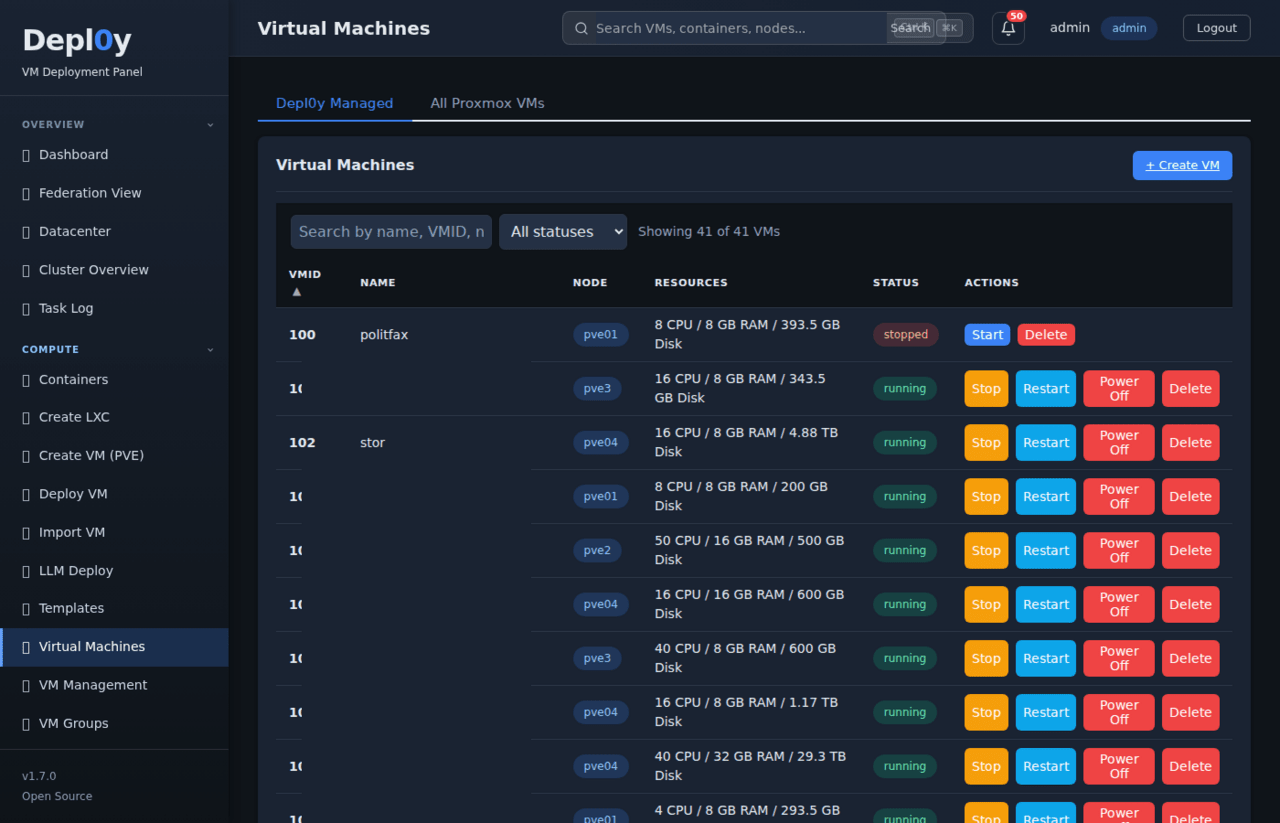
Every VM. One table.

Full lifecycle management — start, stop, migrate, snapshot, clone — across all nodes from a single sortable view. Filter by status, node, or resource usage. SSH updates with live streaming terminal output.
VM list
Cluster Status

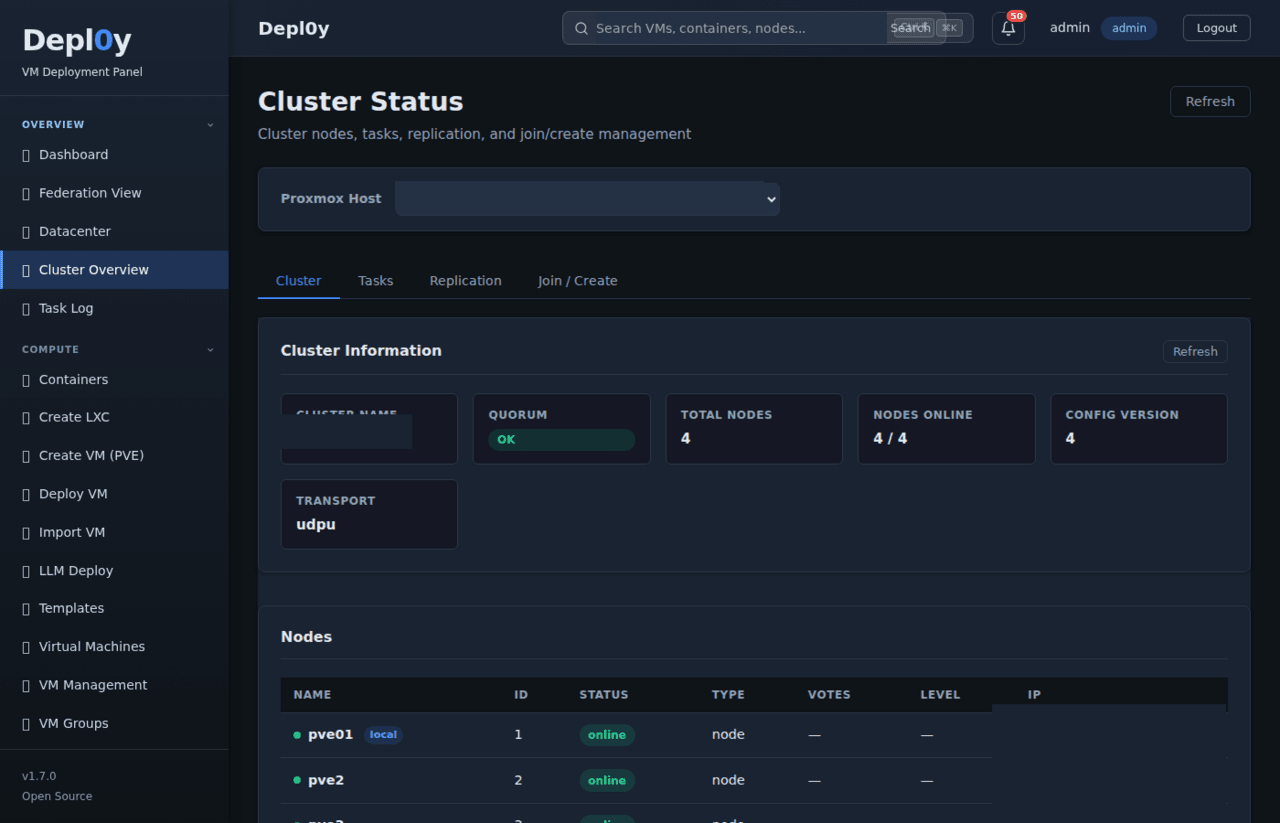
Quorum, nodes,
replication — one view.

Live cluster health with quorum status, node count, transport info, and replication job tracking.
Cluster status
Multi-Datacenter Federation

Every site. One panel.

Unified federation view across all registered Proxmox hosts — total VMs, LXC containers, nodes online, and aggregate storage used. Offline-tolerant: the UI stays up when nodes drop.
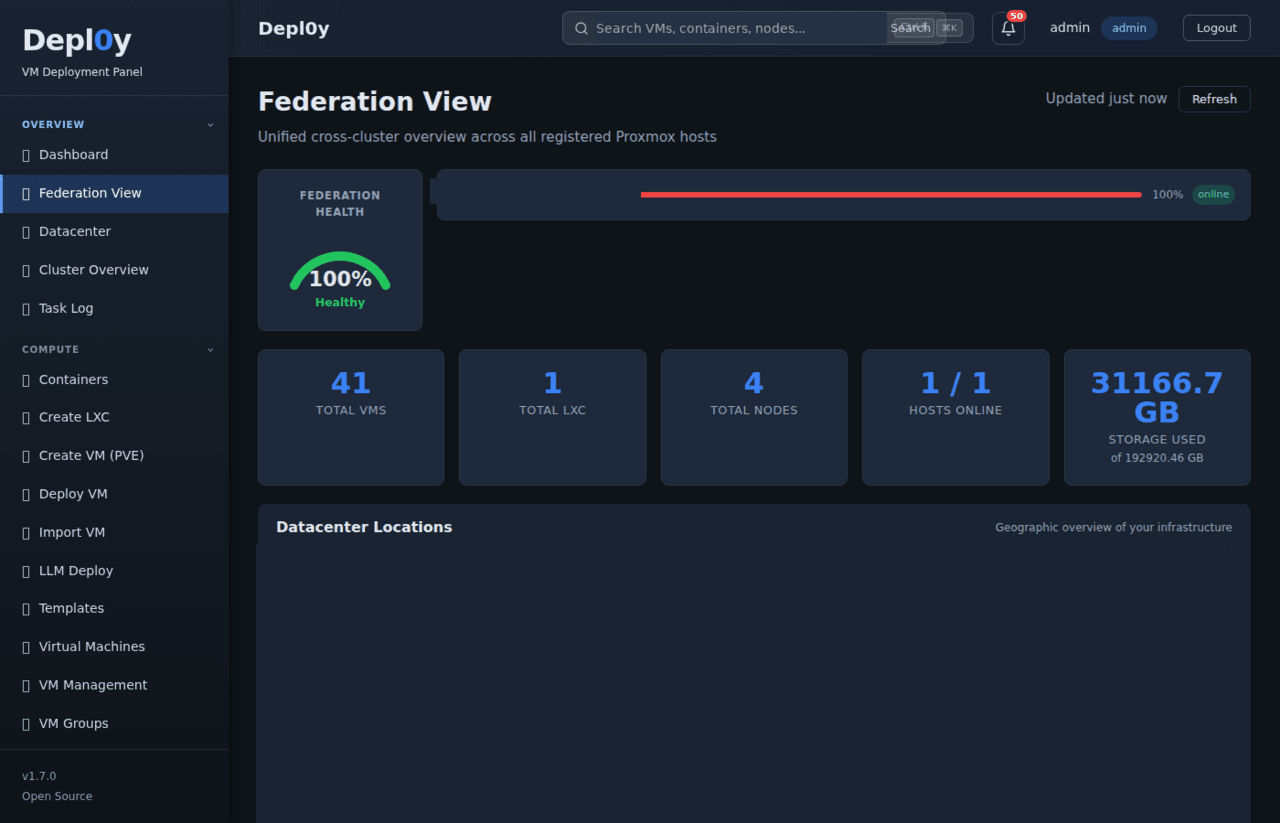
Federation view
Audit & Compliance

Every action logged.

Timestamped audit log with charts, top-action breakdowns, user attribution, and CSV export.
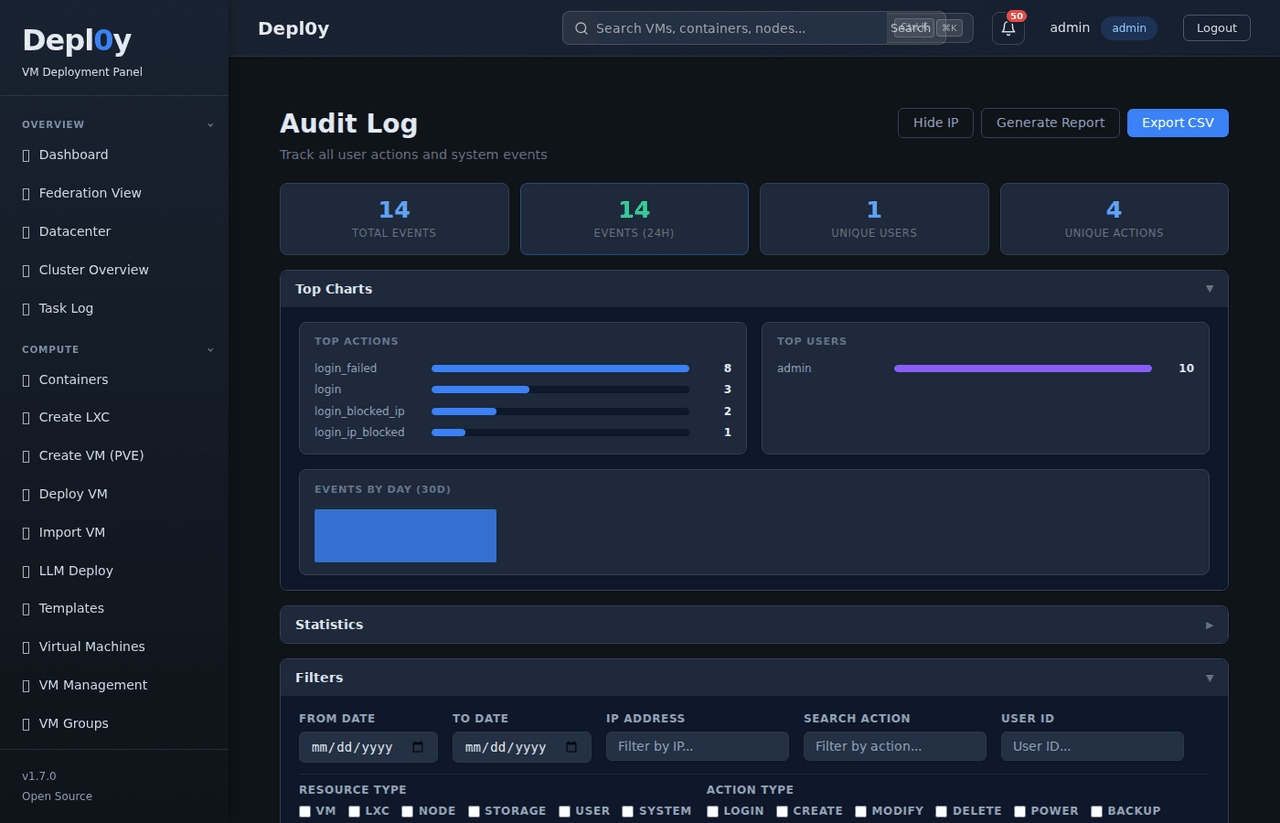
Audit log
Integrations

Slack, PagerDuty,
Grafana, OIDC/SSO.

Event-driven webhooks for VM lifecycle, backup completion, and alerts — push to whatever you already monitor with.
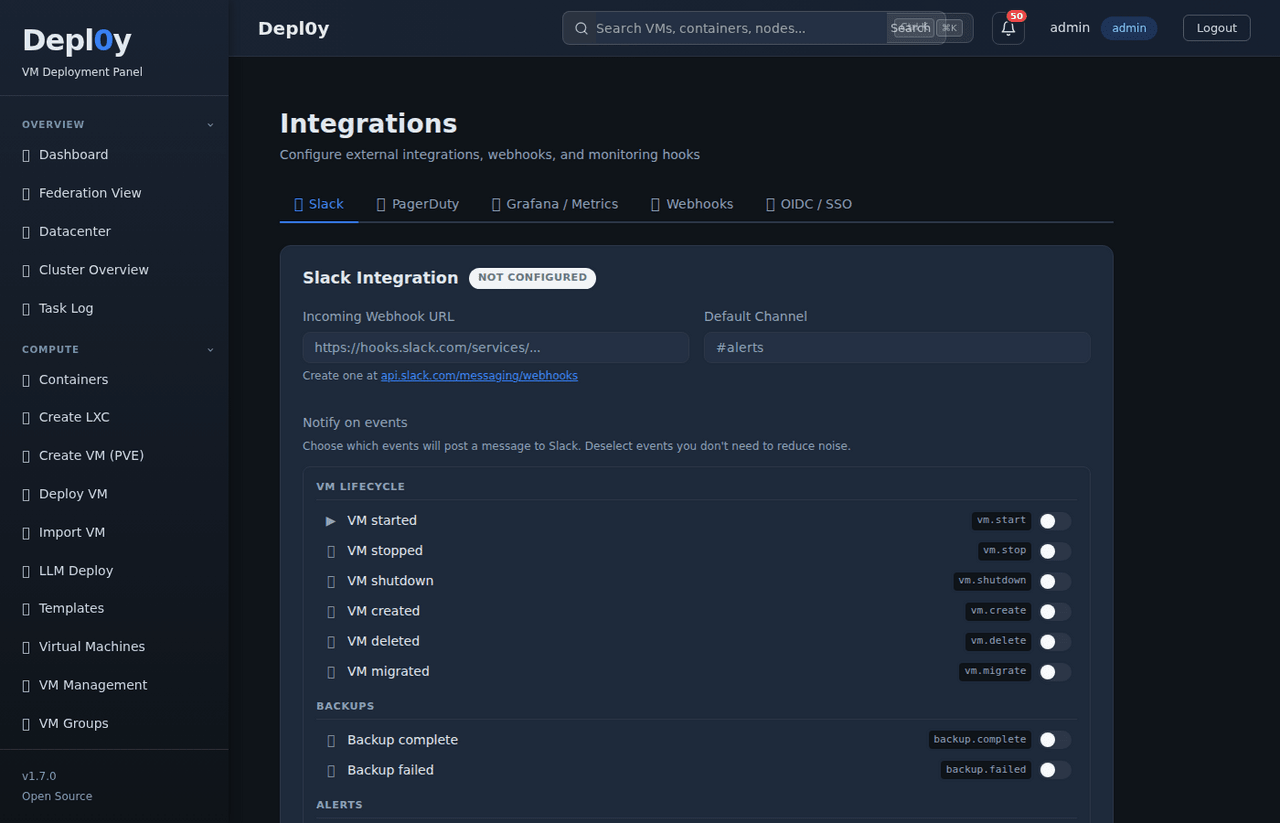
Integrations
REST API

677 endpoints.
Browser-testable.

Full REST API with interactive in-app explorer. Swagger UI and ReDoc built in. JWT auth with API key support.
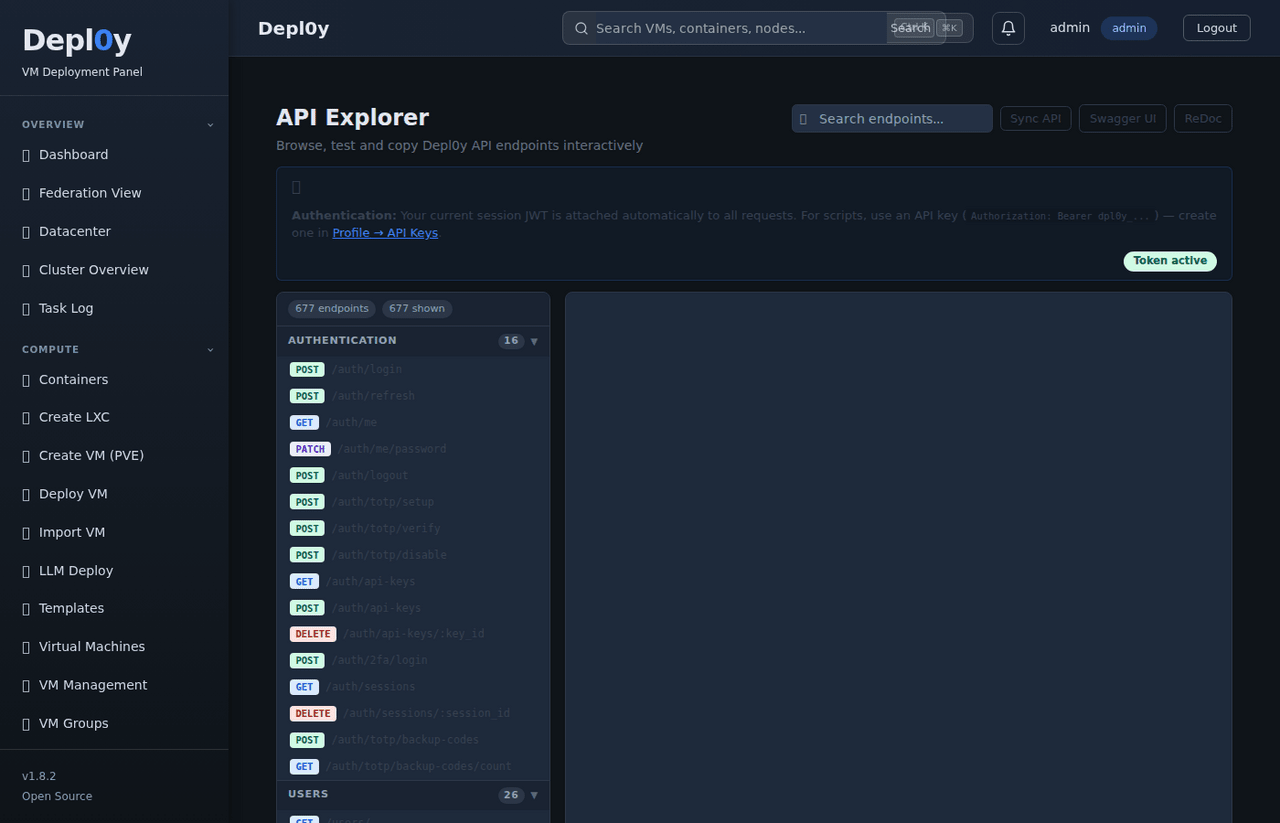
API explorer

iDRAC 7 through 14G.
HPE iLO.
No extra tools.

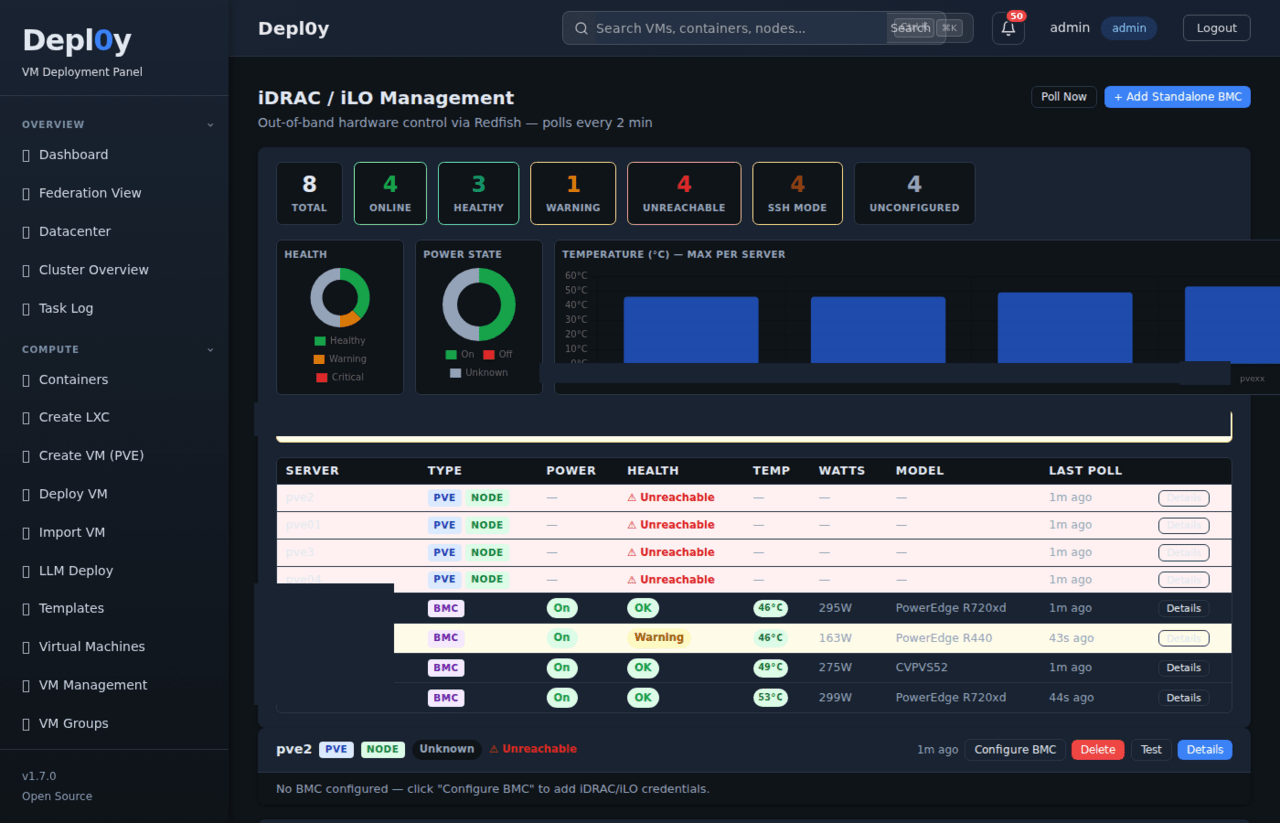
Hardware monitoring via Redfish for Dell PowerEdge and HPE servers. Temperature, power draw, fan speeds, firmware versions, and hardware event logs — pulled every 2 minutes, displayed right in Depl0y.

  • Dell iDRAC 7, 8, 9, and 14G
  • HPE iLO via Redfish protocol
  • Daily Dell firmware catalog parsing
  • Per-server health, power state, temp, watts, model
  • SSH access and BMC management links
iDRAC dashboard iDRAC server list
Proxmox hosts and datacenters

Datacenters, clusters,
and nodes — all connected.

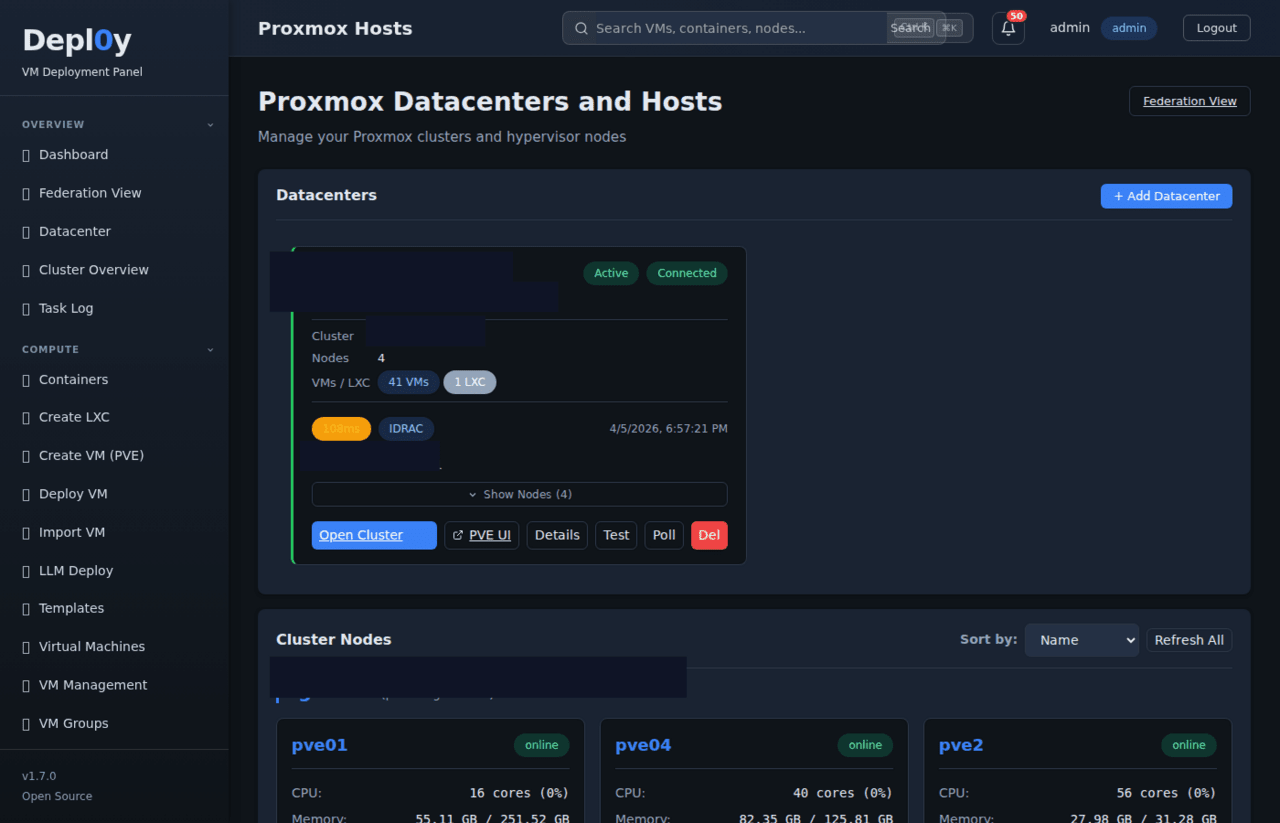
Manage multiple Proxmox datacenters from one panel. See cluster node status, VM and LXC counts, iDRAC linkage, and one-click access to the native Proxmox UI — without losing your place in Depl0y.

  • Multi-datacenter registration and management
  • Live node online/offline status
  • VM and LXC inventory per cluster
  • Direct link to Proxmox native UI per host
  • iDRAC integration per server node
Unique feature

Deploy Ollama, vLLM, and LocalAI
directly to your Proxmox nodes.

GPU passthrough configured automatically. One wizard, no separate tooling — staged from the same infrastructure panel you already have open.

Ollama vLLM LocalAI GPU passthrough Proxmox-native
Security

Security built in.

Security-First Design
Role-based access control, least-privilege service accounts, 2FA/MFA, and full audit logging of sensitive actions — built in, not bolted on.
CVE & Dependency Monitoring
Recurring checks against OS packages and application dependencies. Known-vulnerable components flagged and prioritized by severity and real-world exposure.
Scanning & Hardening
Internal checklists and automated scans covering exposed services, weak configurations, and insecure headers. Defaults favor security over convenience.
Access & Abuse Protection
Login rate limiting, lockout controls, failed-attempt tracking, and GeoIP-based blocking or allowlisting to reduce exposure of admin interfaces.
Logging & Monitoring
Auth events, admin changes, and failed attempts logged. Suspicious activity surfaced for operator review, with optional alerting.
Secure Deployment
HTTPS/TLS, secure headers, secrets management, restricted service exposure, and patch-aware configuration review as standard practice.
Internal security tooling

ExploitHound

We use ExploitHound — our internal security intelligence and vulnerability correlation platform — alongside other scanning tools and review processes to identify CVEs, suspicious behavior, exposed services, and potential risks before they become bigger problems.

exploithound.com →

One command to get started.

Runs on your existing Proxmox node. No cloud dependency. No license key. Role-based access control, TOTP 2FA, and a full audit log included from day one.

Full installation guide
Built with
FastAPI Python 3.11+ Vue.js 3 SQLite proxmoxer Redfish API

Why Pay To Use Software?

Pay for support. Pay for expertise. Pay for accelerated development. But why pay simply for permission to use software or access your own data?

Software should not become inaccessible because you stop paying a monthly fee.

These platforms are built around a different philosophy:

  • No per-user taxes
  • No endpoint taxes
  • No artificial feature lockouts
  • No forced cloud hosting
  • No “enterprise-only” bait and switch
  • No loss of access to your own data

If you want to self-host and run the platform yourself, you can.

Revenue is generated through things that actually provide value:

  • Professional support
  • Hosted / SaaS deployments
  • Priority assistance
  • Enterprise integrations
  • Security services
  • Custom development
  • Accelerated feature sponsorships
  • Migration and onboarding assistance

These applications were built by a former 25-year MSP owner and datacenter operator who experienced firsthand how expensive and restrictive software licensing became over the years.

The goal is simple: give businesses, MSPs, and technical teams real ownership, flexibility, transparency, and control over their infrastructure and data.

Own Your Infrastructure Again

Your software should work for you — not trap you behind recurring access fees, locked exports, artificial limitations, or vendor dependency.

  • Self-host it.
  • Control it.
  • Back it up.
  • Modify it.
  • Integrate it.
  • Keep using it.

Even if you stop paying for support.

How we make money

📋

Support Contracts

Professional assistance, troubleshooting, onboarding, migration help, and SLA-backed support.

☁️

Hosted Deployments

Fully managed cloud-hosted options for businesses that do not want to self-host.

🔒

Security Services

Security scanning, monitoring, hardening, threat intelligence, and vulnerability management integrations.

Sponsored Development

Organizations can sponsor features, integrations, and accelerated roadmap development.